Crypto Wallet Landscape 2026: Who's Leading the Pack?
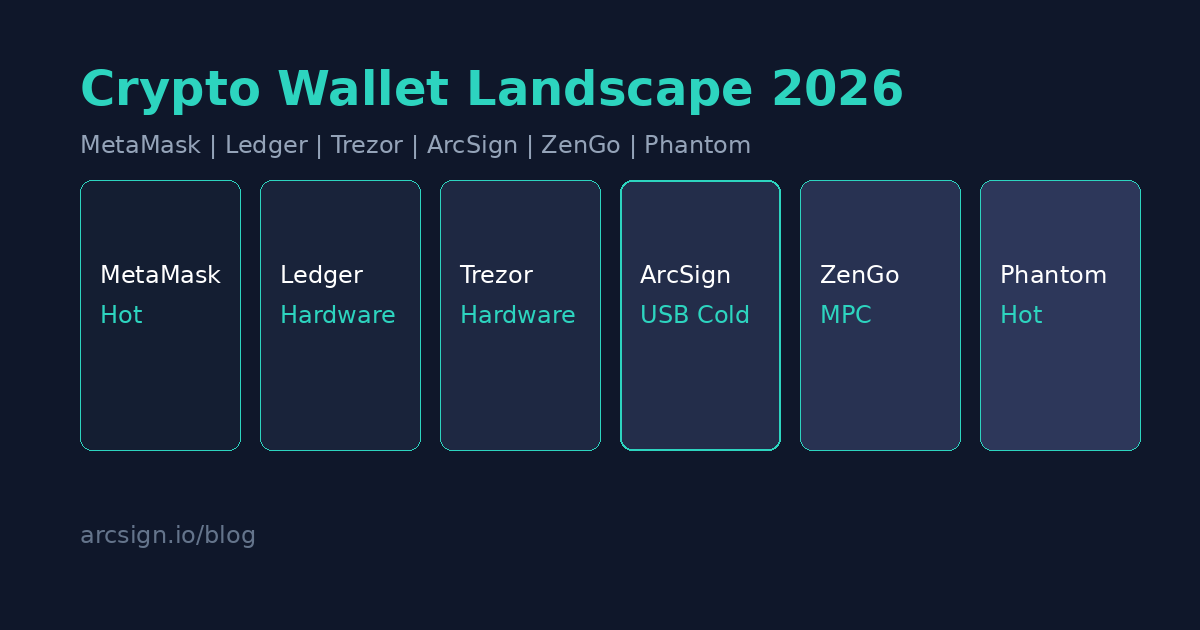
- The 2026 Crypto Wallet Market at a Glance
- Wallet Categories: Four Camps Explained
- Hot Wallets: MetaMask, Trust Wallet, Phantom
- Hardware Wallets: Ledger, Trezor, Keystone
- USB Cold Storage: ArcSign's Fresh Approach
- MPC Wallets: Fireblocks, ZenGo
- Complete Wallet Comparison Table
- Your Backup Method Defines Real Security
- How to Choose the Right Wallet for You
- FAQ
The 2026 Crypto Wallet Market at a Glance
The crypto wallet market in 2026 is more diverse than ever. As global cryptocurrency adoption continues to grow, wallets have evolved far beyond simple key storage tools — they are now the gateway to the entire Web3 ecosystem. From browser extensions to dedicated hardware devices, from mobile apps to desktop cold storage solutions, every wallet type is competing for different user segments.
After witnessing multiple centralized exchange collapses, the principle of "Not your keys, not your coins" has become deeply ingrained in the crypto community. More users are moving assets from exchanges to self-custodial wallets. But with so many options available, how do you determine which wallet truly fits your needs?
Wallet Categories: Four Camps Explained
Before diving into individual products, let's clarify the four major camps in the 2026 wallet landscape. Each has a fundamentally different design philosophy and security model. Understanding these differences is the first step toward making an informed choice.
| Camp | Storage | Security Model | Best For |
|---|---|---|---|
| Hot Wallets | Browser / Mobile | Password encryption + software protection | Frequent traders, DeFi users |
| Hardware Wallets | Dedicated secure chip | Physical isolation + firmware signing | Large holders, institutional users |
| USB Cold Storage | Standard USB drive | Shard encryption + offline storage | Security-conscious, cost-savvy users |
| MPC Wallets | Distributed nodes | Multi-party computation + threshold signing | Institutional users, team management |
Hot Wallets: MetaMask, Trust Wallet, Phantom
Hot wallets are the first type of crypto wallet most users encounter. They share common traits: easy installation, intuitive operation, and deep DApp integration. However, "convenience" and "security" often pull in opposite directions.
As the most recognized wallet in the Ethereum ecosystem, MetaMask boasts over 30 million monthly active users. It's the de facto standard gateway into DeFi and NFTs. In 2026, MetaMask continues to strengthen its Snaps extension system, enabling third-party developers to add new capabilities.
Largest ecosystem, broadest DApp support, open-source, Snaps extensibility
Keys stored in browser, high phishing risk, no offline signing
Backed by Binance, Trust Wallet is known for its multi-chain support, natively covering over 100 blockchains. Its mobile experience has been an industry benchmark, particularly popular in the Asia-Pacific market. However, its association with a centralized exchange makes some decentralization advocates cautious.
Extensive multi-chain support, excellent mobile UX, built-in DApp browser
Binance association, mobile security concerns, past vulnerability incidents
Originally built for the Solana ecosystem, Phantom has expanded to support Ethereum and Bitcoin. It's known for its exceptionally smooth UX and clean design, holding near-monopoly status in the Solana community. In 2026, Phantom is aggressively expanding multi-chain support to challenge MetaMask's dominance.
Top-tier UX, strongest in Solana ecosystem, expanding multi-chain
Not open-source, high Solana dependency, inherent hot wallet limitations
All hot wallets share the same structural risk: private keys are exposed in device memory for extended periods. No matter how sophisticated the encryption, as long as the private key is decrypted on a connected device, there's always a possibility of malware interception. For significant holdings, consider pairing a hot wallet with a cold storage solution.
Hardware Wallets: Ledger, Trezor, Keystone
Hardware wallets were once synonymous with "cold storage." They use dedicated Secure Elements to isolate private keys — in theory, even connecting to a compromised computer won't leak your keys. But recent controversies have prompted users to re-examine the security assumptions behind hardware wallets.
Ledger leads the hardware wallet market with over 7 million units sold globally. However, the Ledger Recover feature launched in 2023 triggered a major backlash — uploading seed phrase fragments to third-party servers was seen as contradicting the core philosophy of cold wallets. While Ledger Recover is optional, it proved that Ledger's firmware can access and transmit your seed phrase.
Secure element isolation, strong brand trust, comprehensive multi-chain support
Recover controversy, closed-source firmware, supply chain trust required, $79-$399
Trezor is the original hardware wallet brand, distinguished by its fully open-source approach. Unlike Ledger, Trezor chose not to use a secure element (except in some newer models), relying instead on software-level protection and fully open-source firmware to build trust. However, being open-source also means attackers can more easily study potential weaknesses.
Fully open-source, high community trust, no Recover controversy
Some models lack secure element, past physical extraction attacks, $69-$169
Keystone's defining feature is being fully air-gapped — it uses QR codes instead of USB or Bluetooth for signing transactions. This eliminates the attack surface that comes with wired connections. For users who prioritize maximum security, Keystone's QR code signing approach is a compelling design choice.
Fully air-gapped, QR code signing, open-source firmware
More cumbersome operation, limited ecosystem support, $119-$169
USB Cold Storage: ArcSign's Fresh Approach
Between hot wallets and hardware wallets, a new category is emerging: cold storage using standard USB drives. This approach requires no proprietary hardware — any ordinary USB drive can achieve high-level security. ArcSign is the frontrunner in this space.
ArcSign redefines the barrier to entry for cold storage. It transforms any USB drive into a secure cold storage device using XOR three-shard encryption — your private key never exists in complete form at any location. Combined with mlock memory protection, the key's memory exposure during signing is limited to just 1-5 milliseconds. It supports BTC, ETH, BSC, and more — and it's completely free.
One of ArcSign's most unique features is its encrypted wallet backup file (.arcsign). Traditional cold wallets require users to write down 12-word seed phrases by hand, but paper is fragile (vulnerable to water, fire, and fading), completely unencrypted (anyone who sees it can steal everything), and prone to handwriting errors. ArcSign's .arcsign backup files are encrypted with AES-256-GCM + Argon2id — export with one click to a second USB drive, and even if someone else obtains the file, they cannot crack it without your password. Restoring is as simple as importing the file and entering your password.
Completely free, no proprietary hardware needed, XOR three-shard encryption, .arcsign encrypted backup, mlock memory protection, multi-chain support
Not yet open-source (planned after 10K users), requires desktop environment, brand awareness still growing
Hardware wallets' price barrier ($69-$399) puts many new users off. Meanwhile, the Ledger Recover controversy has eroded some users' trust in proprietary hardware. USB cold storage offers a zero-cost alternative with no proprietary hardware trust required, attracting a growing number of security-conscious and budget-savvy users.
MPC Wallets: Fireblocks, ZenGo
MPC (Multi-Party Computation) wallets represent a radically different security philosophy: the private key never exists in complete form from creation through use. Signing is performed collaboratively across multiple nodes through cryptographic protocols, with no single node ever holding the full key.
Fireblocks leads institutional digital asset custody. Its MPC-CMP protocol allows institutions to manage billions in assets without ever exposing a complete private key. However, Fireblocks is an enterprise-grade product — its pricing and complexity are far beyond individual users.
ZenGo is one of few consumer-facing MPC wallets. It eliminates the seed phrase concept entirely, using three-party MPC shards (device share + ZenGo server share + recovery share). Users never need to memorize or store any seed phrase, but the trade-off is placing trust in ZenGo's server-side security.
The MPC concept is cutting-edge, but most consumer MPC wallets still rely on third-party servers — which is essentially a form of partial custody. For users who want full self-custody, traditional cold storage solutions remain the more straightforward choice.
Complete Wallet Comparison Table
Here's a comprehensive comparison of the major crypto wallets in 2026, evaluated across security architecture, cost, usability, and backup method:
| Wallet | Type | Price | Key Protection | Backup Method | Open Source |
|---|---|---|---|---|---|
| MetaMask | Hot Wallet | Free | Password encryption | Seed phrase (paper) | Yes |
| Trust Wallet | Hot Wallet | Free | Password encryption | Seed phrase (paper) | Yes |
| Phantom | Hot Wallet | Free | Password encryption | Seed phrase (paper) | No |
| Ledger | Hardware | $79-$399 | Secure element | Seed phrase (paper) | Firmware closed |
| Trezor | Hardware | $69-$169 | Hardware isolation | Seed phrase (paper) | Yes |
| Keystone | Hardware | $119-$169 | Air-Gapped | Seed phrase (paper) | Yes |
| ZenGo | MPC Wallet | Free | 3-party MPC shards | Cloud recovery | No |
| ArcSign | USB Cold Storage | Free | XOR 3-shard + mlock | .arcsign encrypted backup | Planned |
Your Backup Method Defines Real Security
In all security discussions, backup method is the most overlooked yet most critical factor. Most wallets rely on 12 or 24-word seed phrases as the sole recovery mechanism — and those phrases almost always need to be handwritten on paper. This creates an uncomfortable paradox: you spend hundreds of dollars on the most secure hardware wallet, but your backup is a slip of paper.
| Backup Method | Fire/Water Proof | Theft Protection | Error-Proof | Recovery Ease |
|---|---|---|---|---|
| Paper Seed Phrase | No | Anyone who sees it can steal funds | Handwriting errors | Word-by-word input |
| Steel Plate Seed | Yes | Still unencrypted | Stamped/engraved | Word-by-word input |
| Cloud Backup (ZenGo) | Yes | Requires trusting third party | Digital | Automatic recovery |
| .arcsign Encrypted Backup | Digital, multiple copies | AES-256 encrypted | Digital export, zero errors | One-click import + password |
ArcSign's .arcsign encrypted wallet backup file offers an elegant solution: export an AES-256-GCM encrypted backup with one click to a second USB drive or any offline storage. Even if someone else obtains the backup file, they cannot crack it without your password. When you need to restore, simply import the file and enter your password to fully recover all wallets and settings. It's safer, more convenient, and more reliable than handwriting seed phrases.
Regardless of which wallet you use, a dual-backup strategy is recommended. If you use ArcSign, keep both your seed phrase (sealed in a secure location) and an .arcsign encrypted backup file (stored on a second offline USB). These serve as redundant backups, ensuring you can recover your assets under any extreme circumstance.
How to Choose the Right Wallet for You
No single wallet fits everyone's needs. Here are recommended strategies based on different use cases:
Daily DeFi Trading (Multiple Transactions Per Week)
Recommended: MetaMask / Phantom paired with cold storage. Keep small amounts in a hot wallet for convenience, and store significant holdings in cold storage (ArcSign or a hardware wallet). Only keep in your hot wallet what you can afford to lose.
Long-Term Holding (HODL Strategy)
Recommended: ArcSign or Ledger / Trezor. If your assets are primarily for long-term holding, security is the top priority. ArcSign's advantages are being completely free with encrypted backup files. Ledger / Trezor have the advantage of established brand maturity. The choice depends on whether you're willing to pay for dedicated hardware and your comfort level with closed-source firmware.
Budget-Conscious Beginners
Recommended: ArcSign. Zero-cost entry — all you need is an ordinary USB drive. ArcSign's security level is significantly higher than hot wallets, without the $69-$399 price tag of hardware wallets. With .arcsign encrypted backup files, the backup process is simpler and safer than handwriting seed phrases.
Institutional-Grade Asset Management
Recommended: Fireblocks / Hardware wallets with multi-sig. Institutional users typically need multi-party approval and compliance workflows. MPC solutions or hardware wallets combined with multi-sig contracts are the current mainstream choice.
Frequently Asked Questions
Q: What is the most secure crypto wallet in 2026?
Security depends on your specific use case and threat model. For maximum security, USB cold storage (like ArcSign) or hardware wallets (like Ledger) are the best options. ArcSign supports WalletConnect, so even frequent traders can sign transactions securely from cold storage — a mobile app is also on the roadmap. ArcSign is completely free, supports .arcsign encrypted backup files, and requires no proprietary hardware that demands trust.
Q: What's the difference between MetaMask and a cold wallet?
MetaMask is a browser-based hot wallet — private keys are stored on your computer and remain in memory during use. This makes it convenient but less secure. Cold wallets like Ledger and ArcSign keep private keys on offline devices, only briefly using them for transaction signing. For significant holdings, cold storage is strongly recommended.
Q: Is ArcSign better than Ledger?
They target different needs. Ledger uses a proprietary secure element chip and costs $79-$399. ArcSign turns any USB drive into a cold wallet using XOR three-shard encryption and mlock memory protection, completely free. ArcSign also offers exclusive .arcsign encrypted backup files, which are safer and more convenient than writing seed phrases on paper. Your choice depends on budget and comfort level with closed-source hardware.
Q: Is there a recommended free cold wallet in 2026?
ArcSign is one of the few completely free cold storage solutions available today. It transforms any USB drive into a cold wallet, supports BTC, ETH, BSC and more, and provides encrypted backup file functionality. Open-source is planned after reaching 10,000 users.
Start Cold Storage at Zero Cost
Download ArcSign for free and protect your digital wealth with the USB drive you already own.
Download ArcSign Free