How to DEX Swap on ArcSign (Step-by-Step Tutorial)
What is DEX Swap? Why Use a Cold Wallet?
DEX Swap (Decentralized Exchange Swap) is the process of exchanging tokens directly on the blockchain. Unlike centralized exchanges (Coinbase, Binance) that require you to deposit funds, a DEX lets you keep your private keys — you only authorize transactions, never giving up control of your funds.
Performing swaps on a cold wallet means maximum security:
- Private Keys Never Exposed: Transaction signing happens on the USB in just 1-5ms, protected by mlock memory protection.
- No Trust Required: You don't need to trust any exchange, broker, or third-party platform.
- Instant Settlement: After a swap completes, your new tokens arrive directly in your wallet. No withdrawal delays.
- Safe Even If Compromised: Even if your computer is hacked, attackers cannot steal your private keys from the USB.
ArcSign includes a built-in DEX aggregator that automatically finds the best rates across the entire market, saving you time and fees.
ArcSign's DEX Aggregation: OpenOcean + KyberSwap
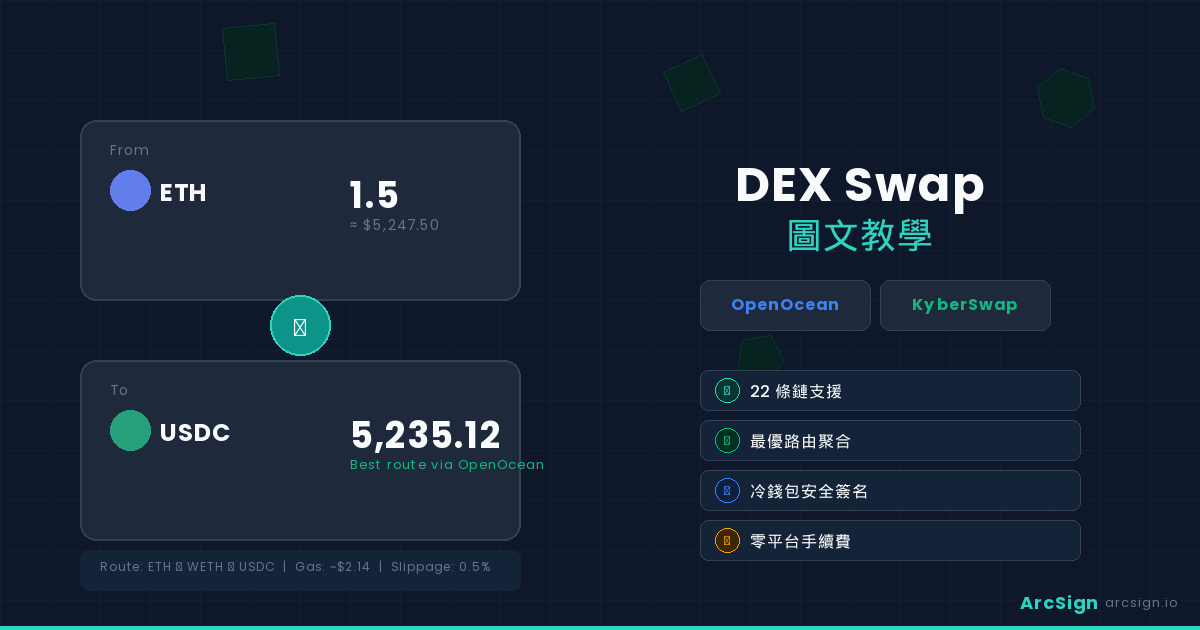
ArcSign integrates the two leading DEX aggregators globally: OpenOcean and KyberSwap. This means every time you swap, ArcSign queries multiple DEX liquidity pools (Uniswap, SushiSwap, Curve, Balancer, and others), automatically routing your trade for the best price.
Benefits of this approach:
- Best Rates: Automatically compares hundreds of liquidity sources.
- Low Slippage: Avoids the price impact of large single-exchange trades.
- Multi-Hop Support: Even if a direct pair doesn't exist (e.g., A → C), the aggregator automatically splits it into multiple hops (A → B → C).
- Transparent Gas Estimates: See the exact cost of each transaction upfront.
Supported Blockchains
ArcSign supports swaps on 22 blockchains, covering all major ecosystems:
| Blockchain | Network Name | Characteristics |
|---|---|---|
| Ethereum | ETH Mainnet | Highest liquidity, higher gas fees |
| BSC | Binance Smart Chain | Low gas, NodeReal enhanced API support |
| Polygon | Polygon (MATIC) | Ultra-low gas, fast finality |
| Arbitrum | Arbitrum One | Layer 2 speed, rich ecosystem |
| Optimism | Optimism | Layer 2 speed, numerous DeFi apps |
| Base | Base (Coinbase L2) | Emerging chain, rapid growth |
| Bitcoin | Bitcoin Mainnet | Native BTC support |
| + 15 more chains (Avalanche, Fantom, Aurora, Linea, zkSync, Scroll, and more) | ||
When doing large swaps on lower-liquidity chains, consider splitting into multiple smaller trades to minimize slippage and avoid transaction failures.
7 Steps to Complete a Swap
Insert your ArcSign USB drive into your computer and launch the ArcSign application. The app will automatically detect the USB and load your wallet list. Ensure your internet connection is stable — ArcSign needs to connect to your configured Provider (such as Alchemy) to read balances and blockchain data.
Find the Swap tab in the main interface. If this is your first time, you may need to select a blockchain (Ethereum, BSC, Polygon, etc.). Choose which chain you want to trade on.
Click the "From" dropdown and select the token you want to swap (e.g., ETH). Then click "To" and select the token you want to receive (e.g., USDC). You can search by token symbol or contract address. ArcSign displays your current balance.
Type the amount you want to swap (e.g., 1 ETH) in the amount field. ArcSign immediately queries the aggregators and shows you:
- Estimated Output: How much USDC you'll receive
- Price Impact: The percentage impact this trade has on the market
- Trade Route: The exact path (e.g., Uniswap V3 → Curve for multi-hop trades)
- Gas Estimate: How much gas this transaction will cost
ArcSign defaults to 0.5% slippage tolerance (suitable for stablecoin pairs). For more volatile tokens, you may want to adjust to 1-2%. Gas fees are automatically calculated based on current network conditions. If gas is too high, consider waiting for the network to settle.
Slippage too low = transaction fails. Slippage too high = risk of front-running. 1% is a safe starting point.
Click the "Confirm Swap" button. ArcSign displays a final confirmation screen showing:
- Swap details (1 ETH → ~XXXX USDC)
- Transaction fees (gas + aggregator fees)
- Net amount received (output - fees)
Review and click "Sign". Your USB is now activated, and the private key signs the transaction. The entire process takes only 1-5ms. Your private key never leaves the USB and is immediately cleared afterward.
Your transaction is broadcast to the blockchain. ArcSign shows your transaction hash (TX Hash) and estimated confirmation time. You can click the hash to view details on the blockchain explorer. Most transactions confirm within 15 seconds to 5 minutes (depending on the chain and gas price). Your new tokens appear in your wallet automatically once confirmed.
Advanced Tips: Slippage, Gas Optimization, Multi-Hop Routes
Slippage Tolerance
Slippage is the difference between your expected price and the actual execution price. Since blockchain prices change constantly, you need to set an acceptable slippage range.
- 0.1-0.5%: Major trading pairs (ETH/USDC, BTC/USDT) with deep liquidity
- 0.5-1%: Medium-liquidity tokens — recommended starting point
- 1-3%: Lower-liquidity tokens or smaller trading pairs
- 3-5%+: Very low liquidity tokens, use with caution
Gas Optimization
Gas fees are what you pay the blockchain for your transaction. Here's how to optimize:
- Trade Off-Peak: Avoid high-volume trading windows. Use off-peak times (deep night in major trading regions).
- Switch to Layer 2: Arbitrum, Optimism, and Base have gas fees 100x lower than Ethereum mainnet.
- Batch Transactions: If doing multiple swaps, try to execute them in the same block to reduce redundant costs.
Multi-Hop Routes
Sometimes a direct trading pair doesn't exist. The DEX aggregator automatically splits it into multiple trades. For example, swapping rare token RARE to USDC might route as RARE → WETH → USDC. This is transparent to you — ArcSign shows the complete route, and costs are already factored into the estimated output.
Security Advantages of Cold Storage Trading
Compared to hot wallets (MetaMask, Trust Wallet), DEX swaps on ArcSign offer huge security advantages:
| Factor | Hot Wallet | ArcSign Cold Wallet |
|---|---|---|
| Private Key Location | In computer memory (vulnerable) | Isolated on USB (separated from host) |
| Signing Duration | Millisecond window (long exposure) | 1-5ms (mlock protected, minimal exposure) |
| If Computer is Hacked | Private key stolen, funds lost | No impact, keys stay on USB |
| Memory Leaks | High risk | Protected by mlock, extremely low risk |
| Unauthorized Transactions | Malware can hijack signatures | Requires physical USB + signature, dual protection |
ArcSign uses XOR 3-shard key protection + AES-256 encryption + mlock memory protection. Even if the USB is stolen, without the password it cannot be decrypted. Even if your computer is hacked, sensitive data in memory is immediately cleared.
Common Issues and Solutions
Transaction Failed: "Slippage Exceeded"
This happens when the market price changes between submission and confirmation, exceeding your slippage tolerance. Solutions:
- Increase slippage tolerance (0.5% → 1% or higher)
- Wait for the network to settle and try again
- Reduce the swap amount
Transaction Stuck as Pending
Your transaction was broadcast but not yet included in a block. Usually due to low gas or network congestion. Solutions:
- Check current gas price on Etherscan. If your tx is below standard, it may never confirm.
- Speed up by submitting a replacement with the same nonce but higher gas.
- Wait 1-2 hours for network congestion to ease.
Token Not Appearing in Swap List
Some tokens are scams or have restrictions. ArcSign only shows tokens with sufficient liquidity. To trade a specific low-liquidity token, try entering its contract address manually.
Gas Fees Are Unusually High
Ethereum mainnet can see gas fees spike to $50-200 during peak times. Solutions:
- Switch to Layer 2 (BSC, Polygon, Arbitrum) for 100x lower fees
- Trade during US overnight hours when congestion is lower
- Use optimized routing (KyberSwap and OpenOcean offer fee-optimized routes)
Signing Failed
Ensure your USB connection is stable and hasn't been disconnected. USB 2.0 is generally more reliable than 3.0 for this. If problems persist, remove and reinsert the USB.
Frequently Asked Questions
Do I need to complete KYC to use DEX Swap?
No. DEXs are fully decentralized with zero verification requirements. As long as you have a wallet and internet connection, you can trade immediately. This is one of the biggest advantages of DEXs over centralized exchanges.
What slippage tolerance should I set?
For major tokens (ETH, USDC, USDT), 0.5%-1% is usually sufficient. For lower-liquidity tokens, you may need 2-5%. Set too low and transactions fail; set too high and you risk front-running attacks. 1% is a safe starting point.
Is DEX swapping on a cold wallet safe?
More secure than hot wallets. Your private keys never leave the USB, transaction signing takes only 1-5ms and is protected by mlock. Even if your computer is compromised, attackers cannot steal your funds. You have complete control over your keys and every transaction.
What if my transaction gets stuck?
Check the transaction status on the blockchain explorer. If there's a nonce conflict, you can submit a replacement transaction with the same nonce but higher gas. If it's pending indefinitely, you can wait for network confirmation or resubmit with higher gas. Most cases resolve within a few minutes.
Ready for Your First DEX Swap?
ArcSign supports DEX swaps for free. Pro users enjoy best-route auto-comparison across aggregators with zero swap fees. USB offline signing — secure and cost-effective.
Download ArcSign Free → Try Pro Swap