What Is Cold Storage? The Complete 2026 Beginner's Guide
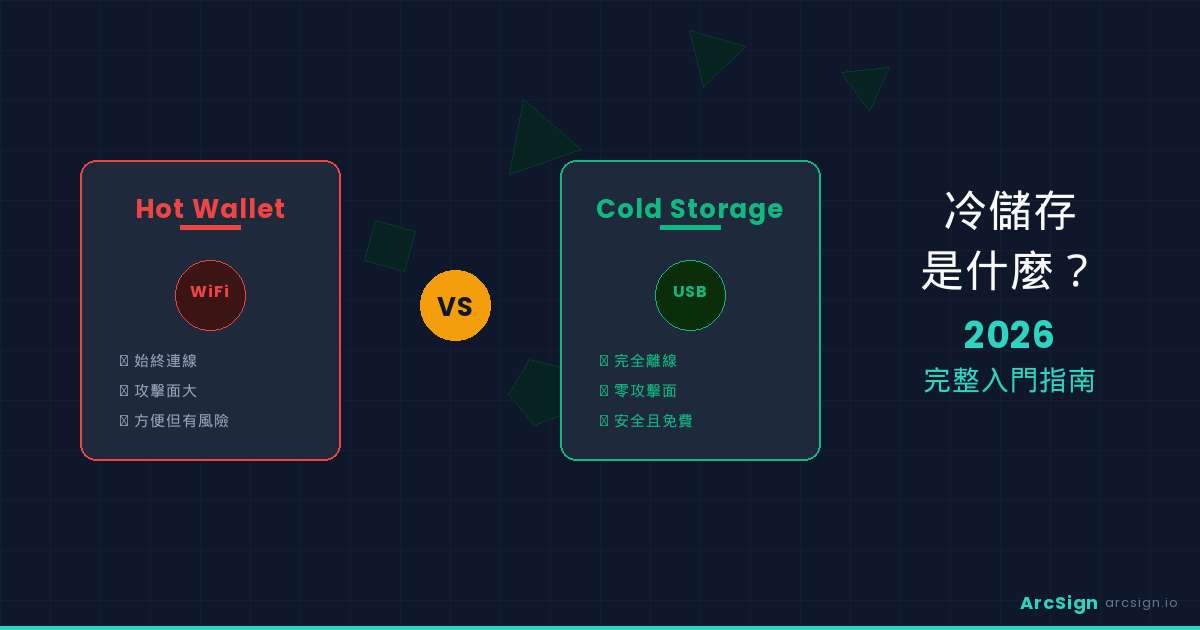
- What Is Cold Storage? A Simple Explanation
- Hot Wallet vs Cold Wallet: Key Differences
- 4 Types of Cold Storage Solutions
- Why You Need Cold Storage in 2026
- How ArcSign Turns Any USB Into a Cold Wallet
- Who Really Needs Cold Storage?
- Cold Storage Myths Debunked
- Getting Started: Your Cold Storage Checklist
- FAQ
What Is Cold Storage? A Simple Explanation
Imagine you have a large sum of cash. You wouldn't carry it in your pocket every day (too risky), nor would you keep it in an easily accessible drawer (too obvious). The smartest approach? Store it in a safe, in a secure location, and only take it out when you need it.
Cold storage is the digital equivalent of that safe. In simple terms, cold storage means keeping your cryptocurrency private keys completely offline, making it impossible for hackers to steal them remotely. Your keys only connect to the internet when you actively sign a transaction.
Cold Storage = Offline Private Keys. Your asset security depends on one simple rule: no internet connection = no remote attacks. This is the highest level of crypto security.
In 2026, cold storage is no longer a luxury only the wealthy can afford. New solutions like ArcSign let anyone use an ordinary USB drive for bank-grade security — at zero cost.
Hot Wallet vs Cold Wallet: Key Differences
| Feature | Hot Wallet | Cold Wallet |
|---|---|---|
| Internet Connection | Always online | Completely offline |
| Private Key Location | Cloud / Browser / Phone | USB / Hardware / Paper |
| Security Level | Medium — vulnerable to remote attacks | Extremely High — impossible to hack remotely |
| Transaction Speed | ⚡ Instant (seconds) | 🐢 Manual signing (but still fast) |
| DeFi / Trading | Full support | Full support via WalletConnect |
| Best For | Daily trading, small amounts | Long-term holding, large amounts |
| 2026 Recommendation | Short-term trading only | Primary asset storage |
The ideal security strategy: Keep 90% of assets in cold storage (your vault) and 10% in a hot wallet (your spending wallet). This protects your core assets while maintaining trading liquidity.
4 Types of Cold Storage Solutions
1️⃣ Hardware Wallets
Examples: Ledger, Trezor
How it works: Specialized hardware devices that store private keys on a chip that never leaves the device. Transactions are signed on the device itself.
Pros: Highest security, excellent user experience, supports many blockchains
Cons: Expensive ($79-150), learning curve, easy to lose
Best for: Long-term holders, security-first users
2️⃣ USB Cold Wallets — ArcSign
Example: ArcSign
How it works: Ordinary USB drive + encryption software achieves hardware-level security. Private keys are split into 3 XOR shards + AES-256 encrypted and stored on the USB.
Pros: Zero cost (any USB works), encrypted backup files, military-grade encryption, supports 22 blockchains
Cons: Depends on computer security (not fully isolated like hardware, but vastly better than hot wallets)
Best for: Budget-conscious users, value-seekers, 2026 beginner's top choice
3️⃣ Paper Wallets
How it works: Print your private key and public key on paper, then store it completely offline.
Pros: Zero cost, completely offline, no hardware needed
Cons: Fragile (water, fire, fading), unencrypted, easy to lose, tedious to recover
Best for: Extreme long-term protection (treasury-level), not for daily use
4️⃣ Air-Gapped Devices
How it works: Use an old computer or Linux device with no internet connection. Transfer transactions via USB or QR codes for signing.
Pros: Extremely high security, controllable cost
Cons: High technical barrier, complex to operate, error-prone
Best for: Tech enthusiasts, institutional users
For beginners, ArcSign USB cold wallet is the recommended starting point: solid security, zero cost, easy to use, convenient backups. Once familiar with crypto, you can upgrade to a hardware wallet for maximum isolation.
Why You Need Cold Storage in 2026
Alarming Statistics: Crypto Crime Is Surging
- Exchange Hacks Are Devastating: In 2025-2026, exchange hacks resulted in over $5 billion in user asset losses. Once compromised, recovery is nearly impossible.
- Hot Wallet Theft Is Increasing: Hackers use advanced phishing, supply chain attacks, and other methods to steal private keys. MetaMask and Trust Wallet users are frequent targets.
- DeFi Protocol Exploits: Over 30 DeFi protocols were hacked in 2025, causing billions in losses. Assets left in DeFi applications face significant risk.
If your cryptocurrency has been sitting on exchanges or in hot wallets for over a year, there's a 25-30% chance of theft. Cold storage isn't optional anymore — it's essential.
Large Asset Holders Must Use Cold Storage
If you hold cryptocurrency worth $50,000 or more, the cost of a single hack could be life-changing. In this case, even buying a hardware wallet ($100-150) is trivial compared to potential losses. With ArcSign, the choice is even easier — zero cost for bank-grade security.
How ArcSign Turns Any USB Into a Cold Wallet
ArcSign's core innovation: Ordinary USB + strong encryption = hardware wallet security, at zero cost.
Three Layers of Security
Your private key is split into three independent encrypted shards. Any single shard alone is useless; all three must be combined to restore the key. Even if someone steals your USB, without your password they cannot reconstruct the key.
Each key shard receives military-grade encryption. Breaking AES-256 with current computational power would take billions of years — practically impossible.
During signing, the private key exists in protected memory for only 1-5 milliseconds, then is immediately destroyed. All data lives on the USB; remove it and your computer has no trace.
Key Features
- Free Software + Any USB: Completely zero cost. You probably have a USB at home already.
- AES-256 Encrypted Backup Files: Export your wallet to a .arcsign backup file in one click — safer and more convenient than paper seed phrases. Backup files can be copied to multiple locations.
- 22 Blockchain Support: Bitcoin + 21 EVM chains (Ethereum, BSC, Polygon, etc.) — manage everything from one wallet.
- Built-in WalletConnect: Even as a cold wallet, connect to DEX, Staking, NFT markets, and other DApps via WalletConnect.
- NFT Gallery + Token Approval Management: Cross-chain NFT display and ERC-20 approval tracking — monitor forgotten authorizations that could become security risks.
Who Really Needs Cold Storage?
You Should Enable Cold Storage Immediately If:
- Long-term Holders (HODLers): If your investment horizon is 1+ years, cold storage is essential.
- Large Asset Holders: Over $50,000 in crypto? Cold storage is non-negotiable.
- Security-Conscious Users: Even if amounts are small, cold storage provides psychological peace of mind.
- DeFi Users: Frequent DeFi interactions? ArcSign's WalletConnect lets you safely sign transactions from cold storage.
- Institutions & High-Net-Worth Individuals: For company wallets or large personal holdings, cold storage is a compliance requirement.
Who Might Not Need It Yet?
- Small-Amount Traders: If you hold only a few thousand and trade frequently, a hot wallet is sufficient (but back up your keys!).
- Crypto Beginners Exploring: Still learning? Use MetaMask first; upgrade to cold storage as your holdings grow.
Regardless of where you fall, set up a cold wallet today (ArcSign is free and takes minutes). Transfer your core assets there. Keep 5-10% in a hot wallet for daily trading. If your hot wallet is ever compromised, losses are limited.
Cold Storage Myths Debunked
Myth 1: Cold Storage Means No DeFi Access
❌ False! Modern cold wallets like ArcSign include WalletConnect, which connects to any WalletConnect-compatible DApp — DEX, lending protocols, NFT markets, Staking, and more. You can access DeFi while keeping your keys cold. Signing happens on your computer; your private keys never leave your device.
Myth 2: Cold Storage Is Too Complex for Beginners
❌ False! ArcSign's workflow is as simple as any regular wallet app. Download → Insert USB → Set password → Create wallet. That's it — 10 minutes, no technical background required.
Myth 3: Cold Storage Means You Can't Trade
❌ False! Cold wallets are completely tradeable. Just add one extra step: insert USB, enter password, sign. The entire process still takes seconds. Compared to the risk of theft, this minor inconvenience is negligible.
Myth 4: ArcSign Isn't Open Source — How Can You Trust It?
Valid concern, but addressable! ArcSign plans to open-source all code once user count reaches 10,000. Until then, ArcSign uses industry-standard cryptography (XOR, AES-256, Argon2id) verified by global researchers. Plus, there's zero financial risk — it's a free solution.
Getting Started: Your Cold Storage Checklist
Add up all crypto on exchanges and hot wallets. Over $50,000? Cold storage is essential. Even $10,000? Still recommended.
Beginners: choose ArcSign (zero cost). If budget allows and you want maximum isolation, consider a hardware wallet (Ledger/Trezor).
Find a 1GB+ USB drive. Ideally prepare two: one for your cold wallet, one for encrypted backups.
With ArcSign: Download → Install → Set Provider → Insert USB → Create Wallet. Takes about 10 minutes total.
Immediately export your encrypted backup file to a second USB. Optionally hand-write your seed phrase as a last resort backup. Never skip this step.
From exchanges or hot wallets to your cold wallet address. Start small (e.g., $100 test transfer) to verify everything works, then transfer larger amounts.
Periodically check USB integrity, verify backup file safety, update software. Otherwise, your cold wallet requires minimal maintenance.
FAQ
What if my USB is lost or corrupted?
As long as you have your encrypted backup file or seed phrase, you can restore your entire wallet on a new USB. ArcSign encrypted backup files are safer and more convenient than paper seed phrases. We recommend keeping a backup USB in a different physical location.
How many blockchains does a cold wallet support?
ArcSign supports 22 blockchains: Bitcoin + 21 EVM-compatible chains (Ethereum, BSC, Polygon, Arbitrum, and others). Using the same seed phrase, you can derive addresses on all chains from one wallet.
Is cold storage free?
ArcSign is completely free. Software, backups, multi-chain support, WalletConnect — all free. Your only potential cost is a USB drive (if you don't have one), which typically costs $10-50.
Is cold storage really safer than hardware wallets?
Security depends on implementation. ArcSign's XOR 3-shard + AES-256 + mlock techniques provide security comparable to professional hardware wallets. The main difference: hardware wallets are fully isolated from your computer; USB cold wallets depend on computer security. If your computer is clean, USB cold storage is completely safe.
Ready to Go Cold?
Download ArcSign today and have a bank-grade, free USB cold wallet in just 10 minutes.
Download ArcSign Free