The Ultimate Seed Phrase Backup Guide: 5 Methods Compared
Why Your Seed Phrase Matters
Your seed phrase is the master key to your entire crypto empire. Whether you use a hardware wallet, mobile app, desktop software, or cold storage solution — those 12 or 24 English words represent absolute control and complete ownership of all your crypto assets.
Once someone obtains your seed phrase, they can restore your wallet anywhere, anytime, on any device, and steal all your assets instantly. There is no reversal, no customer support, no insurance. In the world of crypto, managing your private keys securely is the same as managing your wealth securely.
Even if your computer gets hacked or your software wallet is stolen, as long as attackers don't have your seed phrase, your assets remain safe. Conversely, once a seed phrase is leaked, asset loss is permanent.
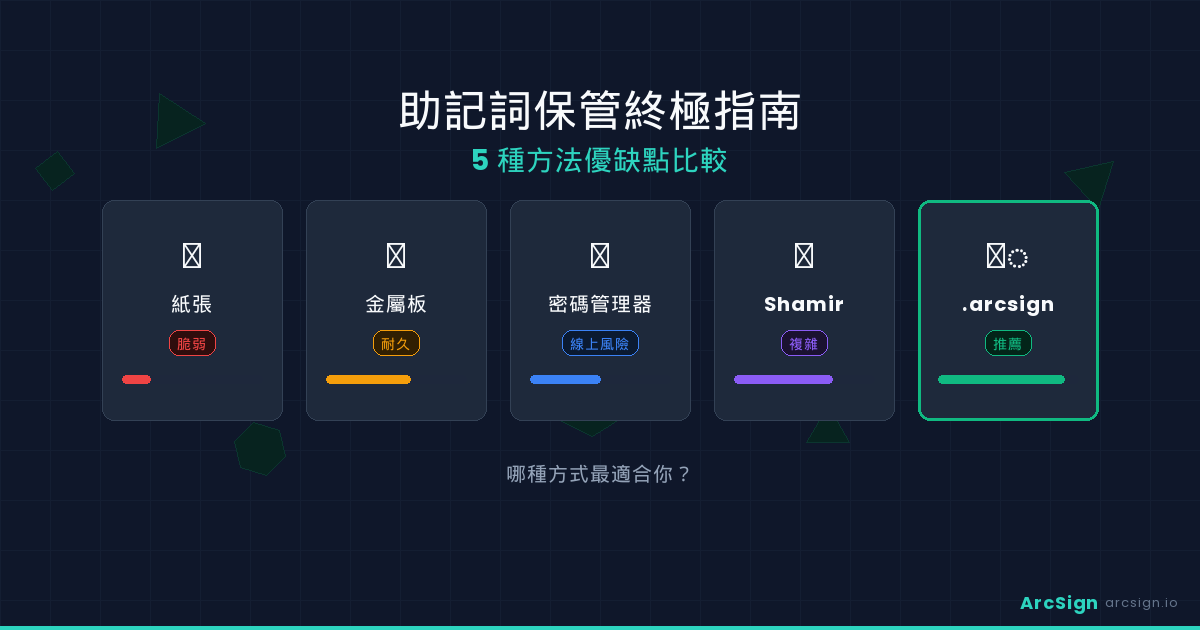
But how should you safely store your seed phrase? Each backup method has different trade-offs. This guide analyzes 5 mainstream approaches to help you find the best solution for your situation.
Method 1: Paper Backup
This is the traditional, most commonly recommended method: write down your 12 or 24 seed words on paper and store it in a safe location like a safety deposit box.
Advantages
- Zero cost — Just paper and pen
- Completely offline — No internet or digital exposure
- No technical skills required — Anyone can do it
- Timeless durability — Paper can last decades (with proper care)
Disadvantages
- Easily damaged — Paper fears water, fire, sunlight, rodents, and more
- No encryption — Anyone who sees the paper can steal your assets
- Writing errors — A single letter mistake means you cannot recover your wallet
- Difficult to backup — Each copy you make is another risk exposure point
- Tedious recovery — Manual character-by-character input into your wallet app
Risk Index: Medium-High — If discovered or destroyed, your assets are gone forever.
Method 2: Metal Plate Engraving
To solve paper's fragility problem, specialized metal backup devices have emerged — steel or titanium plates that can be engraved or stamped with seed words. Popular products include Billfodl and ColdCard's nickel plates.
Advantages
- Extremely durable — Immune to water, fire, and decay
- Extremely long-term — Can last hundreds or thousands of years
- Clear and legible — No handwriting decay to worry about
- Portable — Lightweight and easy to distribute across locations
Disadvantages
- Significant cost — Quality metal backup plates cost $30-100
- Still no encryption — The text on the plate is plaintext and readable
- Engraving complexity — Requires special tools or professional services, error-prone
- Still difficult to backup — Making multiple copies increases theft risk
- Recovery still slow — Still requires manual character-by-character input
Risk Index: Medium — Very durable against physical damage, but vulnerable to theft.
Method 3: Password Manager Storage
Modern users might think: why not just store the seed phrase in a password manager like 1Password, Bitwarden, or LastPass? They offer encryption, backups, and cloud syncing.
Advantages
- Encrypted at rest — Data is encrypted during transmission and storage
- Automatic backups — Cloud-based redundancy, no manual maintenance
- Easy recovery — Remember your master password and instantly access your backup
- Multi-device sync — Access from phone, computer, tablet anywhere
Disadvantages (Critical!)
- Cloud breach risk — LastPass has suffered multiple breaches; no service guarantees safety
- Company risk — Service shutdowns or acquisitions could lock you out
- Master password theft — One compromised master password means total account compromise
- Unsuitable for long-term custody — A seed phrase is a lifetime asset; trusting a company to exist forever is risky
- Government pressure risk — Authorities may compel password manager companies to hand over data
This method places your asset security entirely in third-party hands. For irreversible assets like crypto, any single point of failure is too dangerous.
Risk Index: Extremely High — This method is not recommended.
Method 4: Shamir Secret Sharing
This uses cryptography cleverly: Shamir Secret Sharing (SSS) lets you split a secret (your seed phrase) into multiple shards where no single shard is useful, but any specific subset of shards can recover the original secret. For example, a "3 of 5" scheme means you split into 5 shards but only need any 3 to restore.
Some hardware wallets and applications (like Trezor's SLIP39 or ColdCard) already support Shamir splitting.
Advantages
- Distributed risk — Even if one or two shards are stolen, attackers cannot recover the wallet
- Strong fault tolerance — Loss or damage of some shards doesn't prevent recovery
- Highest security level — Based on proven cryptographic mathematics
- Distributable storage — You can keep different shards in different locations and with trusted people
Disadvantages
- High complexity — Requires understanding shard mathematics; not intuitive for everyone
- Setup is tedious — More time-consuming than simple paper backup
- Recovery requires multiple shards — You must collect enough shards to restore, and losing too many means permanent loss
- Limited device support — Not all wallets support SSS
- Shards still may be unencrypted — Requires additional encryption of each shard for full protection
Risk Index: Low — If properly implemented and shards are distributed well, security is very high. Complexity is the tradeoff.
Method 5: ArcSign Encrypted Backup File
ArcSign offers a modern, purpose-built backup solution for cold wallets: one-click export of an encrypted backup file. This backup is protected by AES-256 encryption and XOR three-shard sharding, and can be stored on a second USB drive, external hard drive, or other offline media.
How ArcSign Encrypted Backup Works
When you export an ArcSign backup file, the system executes these steps:
- Your entire wallet (all derived accounts, private keys, and settings) is packaged into a single file
- The file is encrypted with AES-256-GCM, using a key derived from your wallet password
- The encrypted file is further protected by XOR three-shard sharding (performed locally only)
- The resulting
.arcsignbackup file is fully encrypted and safe to copy anywhere
Advantages
- Fully encrypted — The backup file itself is encrypted; no sensitive data is visible
- One-click recovery — Import backup file + password = instant wallet restoration with all accounts and history intact
- Safe duplication — No risk in copying the backup file since it's encrypted; without your password, it's useless
- Modern encryption — AES-256 + XOR sharding = industry-leading security
- Zero cost — ArcSign is completely free; backup files cost nothing
- No third-party dependency — Encryption happens locally; no cloud, no uploads
- Multiple backup safety — You can safely create multiple backups and store them in different physical locations
Disadvantages
- Not yet open-source — While encryption is based on standard cryptography, the code cannot be independently audited. (ArcSign plans to open-source after 10K users)
- Password-dependent security — Backup file security depends on your wallet password strength; weak password = weak encryption
- Requires password memory — Forgetting your password means you cannot decrypt the backup (though you can restore via seed phrase if saved separately)
Compared to paper backup, ArcSign's encrypted file provides encryption protection (safe even if discovered), instant recovery (no tedious manual input), and safe duplication (multiple backups with zero additional risk). For USB cold wallet users, this is the ideal modern backup approach.
Risk Index: Very Low — Assuming a strong password, this is the most balanced modern backup method.
Complete Comparison Table
| Criterion | Paper | Metal Plate | Password Manager | Shamir Shards | ArcSign Encrypted |
|---|---|---|---|---|---|
| Cost | ✅ Zero | ⚠️ $30-100 | ✅ Free or subscription | ✅ Zero | ✅ Zero |
| Encryption | ❌ None | ❌ None | ✅ Yes | ✅ Yes (optional) | ✅ AES-256 |
| Durability | ❌ Weak | ✅ Excellent | ✅ Strong (cloud backup) | ✅ Strong | ✅ Strong (multipl copies safe) |
| Theft Risk | ❌ High | ❌ High | ⚠️ Medium-High | ✅ Low (distributed) | ✅ Low (encrypted) |
| Recovery Difficulty | ❌ Difficult | ❌ Difficult | ✅ Easy | ⚠️ Moderate | ✅ Very easy |
| Setup Complexity | ✅ Very simple | ⚠️ Moderate | ✅ Simple | ❌ Complex | ✅ Simple |
| Multiple Backups | ❌ Each is a risk | ⚠️ Costly & tedious | ✅ Automatic | ✅ Distributable | ✅ Zero-risk copies |
| Long-term Storage | ⚠️ Needs care | ✅ Centuries | ❌ Company dependent | ✅ Permanent | ✅ Permanent |
| Overall Security | ❌ 5/10 | ⚠️ 6/10 | ❌ 4/10 | ✅ 9/10 | ✅ 9.5/10 |
Best Practices
1. Never rely on a single backup
No matter which method you choose, maintain at least 2-3 backups in different physical locations (home, office, bank vault). If one is destroyed, stolen, or burned, you still have others.
2. Prioritize encrypted modern methods
If possible, prefer ArcSign encrypted backup or Shamir shards — both provide cryptographic-grade protection. Avoid storing plaintext seed phrases.
3. If using paper backup
- Write two copies — One in home safe, one in bank vault
- Check spelling carefully — Verify every word and letter; one mistake = no recovery
- Use quality paper — Consider archival-grade cotton paper instead of regular paper
- Sign and date — Add your signature and creation date to verify authenticity later
4. Protect your wallet password
Whether using ArcSign's encrypted backup or any method, your wallet password must be securely protected. Consider storing it separately in a password manager (like Bitwarden, not your wallet provider) so you can use a strong password without forgetting it.
5. Test recovery periodically
Every 6-12 months, practice restoring your wallet from backup in an isolated environment (virtual machine or unused computer). Don't wait until you desperately need it to discover your backup is corrupted.
6. Avoid cloud storage for sensitive backups
Never store encrypted backup files on Google Drive, Dropbox, or iCloud. Cloud provider policies change, and law enforcement can compel data disclosure. Local, offline storage is always safer.
FAQ
What's the difference between a seed phrase and a backup?
A seed phrase is your wallet's root key — typically 12 or 24 English words generated by your wallet software. A backup is a complete copy of your entire wallet (including all passwords, settings, and derived accounts). ArcSign's encrypted backup is more comprehensive than just saving seed words.
What if someone finds my backup?
For plaintext (paper/metal) backups, immediately move your assets to a new wallet. For ArcSign's encrypted backup, the encryption is strong enough that without your password, the backup file is useless. Either way, act quickly to protect your assets.
Can I recover an ArcSign backup in other wallets?
ArcSign backup files are designed for ArcSign specifically. Since the format isn't yet open-source, only ArcSign can decrypt them. This is why we recommend also keeping your seed phrase as a final failsafe — if ArcSign ever becomes unavailable, you can restore using any BIP-39 compatible wallet.
How often should I test my backup?
Test your backup recovery process every 6-12 months. Use an isolated environment (virtual machine or a computer that has never touched that wallet) to ensure your backup is complete and functional.
Ready to protect your assets?
Download ArcSign and experience the safest, most convenient backup method for your crypto.
Download ArcSign Free